
VBA Barcode Macros for Microsoft 365
Format data for barcode fonts in Excel, Access and Word with pure VBA code.
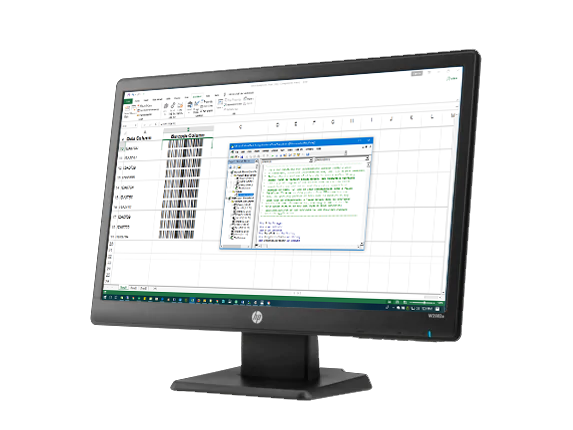
Pure VBA Font Encoders
The IDAutomation VBA font encoder is a set of pure VBA modules, such as IDAutomationVBA.bas, that format data into a text string. When the matching IDAutomation barcode font is applied to that string, it displays as a barcode. The code is customizable, it works on Windows and Mac, and it needs no plug-ins or registration with the operating system.
Excel
Enter a formula such as =Code128(B10,0) in a cell, then apply the barcode font at 12 points. The XS and S fonts are designed to fit in cells.
Access
Import the module into the database and use a function such as =Code128([Serial]) in the Control Source of a report text box, then apply the font.
Word
Mail merges use Excel as the data source. The formatted column in Excel is merged into Word as a field, and the font is applied to that field.
Supported Symbologies
The standard module covers Code 39, Code 93, Code 128, GS1-128, Codabar, Interleaved 2 of 5, MSI, UPC-A, UPC-E, EAN-8, EAN-13, USPS Postnet and Planet, and RM4SCC. The Universal Barcode Font adds USPS Intelligent Mail with the same function style, the DataBar package covers GS1 DataBar, and separate modules cover Data Matrix, QR Code, PDF417, Aztec and MaxiCode.
Import the Module
- Excel on Windows: enable the Developer tab, choose Visual Basic, then File and Import File, and select the .bas module.
- Access: choose Database Tools, then Visual Basic, and import the module.
- Excel on Mac: use the Visual Basic Editor import feature of the current version. Mac users should use the Universal Barcode Font package.
- Save the workbook as a macro-enabled workbook, and keep it in a trusted location so the macros can run.
Microsoft explains the steps in Create custom functions in Excel and Enable or disable macros in Microsoft 365 files.
Native Generators or Fonts?
If installing fonts on every computer is a problem, use the Native Barcode Generator for Excel or the Native Barcode Generator for Access; both embed the VBA code and create the barcodes without fonts. If fonts are preferred, the VBA font encoders format the data so the fonts print scannable barcodes.
Mail Merge Tutorials
Refer to the Word and Excel Mail-Merge Tutorial and the working examples that come with every IDAutomation barcode font package.